BACK TO WORDPRESS TRAINING COURSES
WordPress Advanced Training Course Info...
Course Duration: 1 Day | Class Time: 9am - 4:30pm | Class Size: 6 Students Max
Training Room Location: Level 1, Opposite Reg. Hosp Nastech Sunyani B/A R.
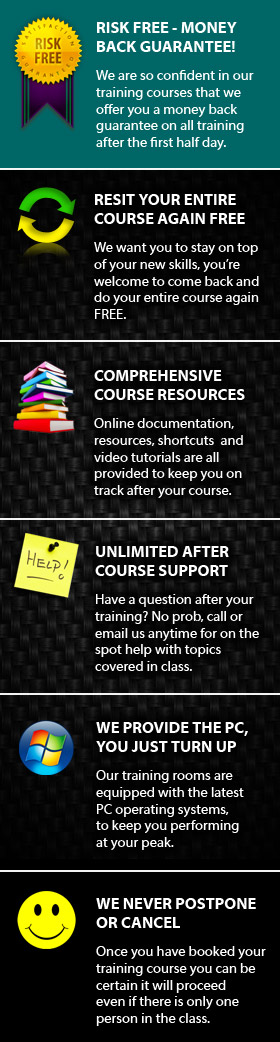
Course Materials: As part of the course you will receive many useful resources and learning links to compliment your training and help you stay on track after your course.
Certificates: All students receive a certificate of achievement on completion of their course.
After Course Support: On completion of your course you will be eligible for free email and phone support*, to aid you in the development of your new skills.
FREE Course Resit: We offer you the chance to come back in the future and resit your course for FREE*, so if you want to polish your skills further or just recap on a few things this is a great option.
What you need to bring: Nothing. We supply your choice of MAC or PC computer for you to use with all software already installed and have note pads, pens etc in the training room. If you think it would be beneficial to bring some samples of your work that would be great but not essential.
Cost: GH¢ ??? +GST
About our WordPress Advanced Training Course
If you're looking for Wordpress training then Nastech is
here for you. We provide Wordpress courses in Nastech Sunyani for people of all
levels from beginners to advanced users. Nastech's Wordpress
courses include the most up to date, cutting edge techniques which
enable you to do far more in even less time.
As a leader in Wordpress training, Nastech continually educates people from diverse backgrounds on how to properly and most efficiently use the vast range of Wordpress features. With our Nastech Sunyani based Wordpress training courses we train people from small businesses right through to some of Australia's biggest companies as well as individuals looking to further their Wordpress skills.
Our Wordpress Advanced training course has been designed to take you to the next level making you an Wordpress power user. If you want to work fast, with ease and be in total control of your website design then this course is for you. We meet you half way taking your existing skills and improving your approach to design, speeding up the time it takes to get the job done. Wordpress includes many time saving features and functions that people simply aren't aware of, this course is aimed at making you aware of exactly what's possible.
COURSE DATES - SYD |
MAY |
JUN |
JUL |
AUG |
SEP |
OCT |
|---|---|---|---|---|---|---|
WordPress Training |
2 16 23 |
8 20 |
4 20 30 |
16 31 |
14 24 |
12 22 |
WordPress Advanced |
11 |
- |
11 30 |
17 |
14 |
12 |
WordPress One-On-One |
Numerous date available each week, please call |
|||||
WordPress Mastery |
Choose your courses from any of the above dates |
|||||
WordPress On-Site |
Please call to arrange suitable on-site training dates |
|||||
Who should attend this WordPress Advanced course?
- Intermediate Wordpress users with 2+ years experience
- People who have completed our Wordpress basic training course
- Self taught Wordpress users
- Wordpress users wanting to get up to pace with new Wordpress features
- Web Designers
- Small business owners wanting to create their own website
- Sales and Marketing staff working with web based media
- People wanting to improve their workflow
- People looking to speed up the design process
Things you will do and skills you will gain by attending...
- Learn to design a website effectively.
- Develop effective website Layout and design skills
- Get websites looking good by developing html and css skills
- Learn how to improve your workflow and work fast
- Setup a Wordpress file cleanly minimizing over use of code
- Learn to upload, optimise and manage your website correctly
Course Outline
Our Wordpress Advanced course is for those who need to create and maintain their website with ease and efficiency, this Advanced Wordpress Training course compliments our initial Wordpress Training. Now that you have a thorough understanding of Wordpress we take you to the next level.
-
Understanding Wordpress
-
Installation
-
Dashboard
-
Adding Posts
-
Publishing Posts
-
Adding Pages
-
Publishing Pages
-
Viewing Posts
-
Post Categories and Tags
-
Adding Media
-
Creating Links
-
Working with Comments
-
Appearance & Premium Themes
-
Customising Site Appearance
-
Theme Customisation
-
Creating Navigation Menu Bars
-
Working with Plugins
-
Working with Multiple Users
-
Tools and Settings
-
Wordpress Updates

Want to take the next step? Our WordPress advanced training is designed to take you to the next level. WordPress includes many advanced features that make designing your website more efficient giving you greater control. This WordPress Dreamweaver course is ideal for those serious about web design.